> For the complete documentation index, see [llms.txt](https://docs.skydeck.ai/llms.txt). Markdown versions of documentation pages are available by appending `.md` to page URLs; this page is available as [Markdown](https://docs.skydeck.ai/zh-cn/control-center/setup-guide/curate-tools.md).
# 策划工具
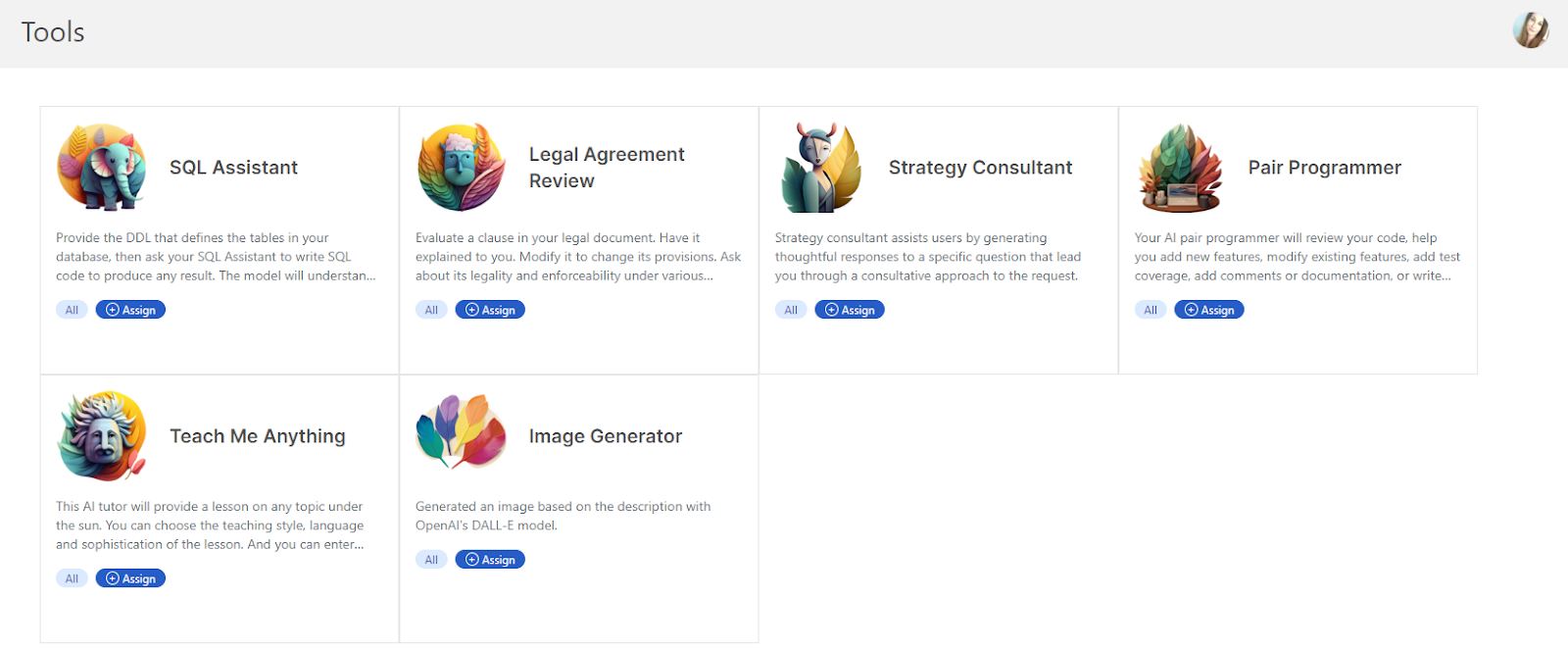
工具功能通过要求用户提供一些简短的输入,帮助轻松构建更复杂的提示,然后生成完整的详细提示。
从侧边栏选择 **工具**。在此页面上,您可以管理整个组织的工具,包括上传、编辑、复制和删除工具。您还可以使用您在 [**组织**](/zh-cn/control-center/setup-guide/organize-teams.md) 中创建的标签来确定哪些 AI 工具可供特定组或个人使用。
---
# Agent Instructions
This documentation is published with GitBook. GitBook is the documentation platform designed so that both humans and AI agents can read, navigate, and reason over technical content effectively. Learn more at gitbook.com.
## Querying This Documentation
If you need additional information that is not directly available in this page, you can query the documentation dynamically by asking a question.
Perform an HTTP GET request on the current page URL with the `ask` query parameter:
```
GET https://docs.skydeck.ai/zh-cn/control-center/setup-guide/curate-tools.md?ask=
```
The question should be specific, self-contained, and written in natural language.
The response will contain a direct answer to the question and relevant excerpts and sources from the documentation.
Use this mechanism when the answer is not explicitly present in the current page, you need clarification or additional context, or you want to retrieve related documentation sections.