> For the complete documentation index, see [llms.txt](https://docs.skydeck.ai/llms.txt). Markdown versions of documentation pages are available by appending `.md` to page URLs; this page is available as [Markdown](https://docs.skydeck.ai/zh-hk/control-center/setup-guide/curate-tools.md).
# 策劃工具
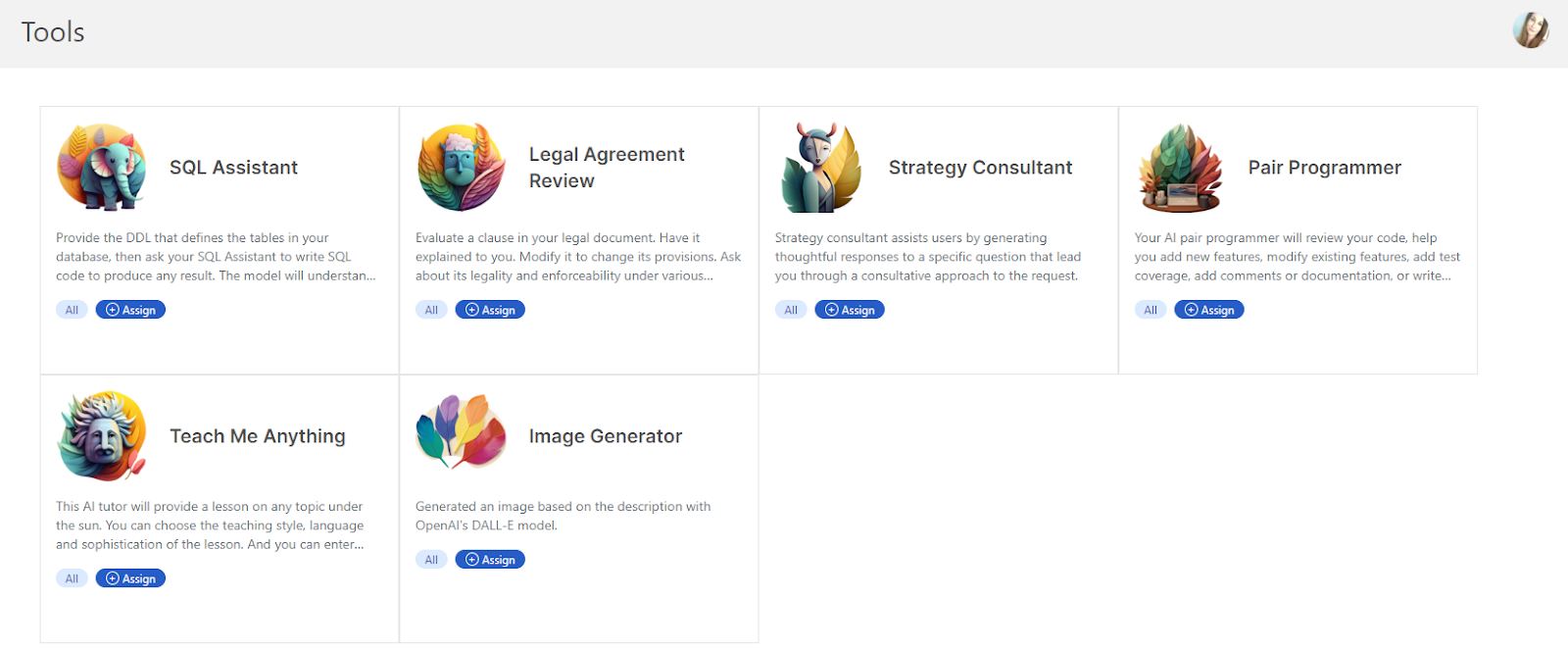
工具功能通過要求用戶提供幾個簡短的輸入,然後生成完整的詳細提示,幫助構建更複雜的提示。
從側邊欄選擇 **工具**。在此頁面上,您可以管理整個組織的工具,包括上傳、編輯、複製和刪除工具。您還可以使用您在 [**組織**](/zh-hk/control-center/setup-guide/organize-teams.md) 中創建的標籤來確定哪些 AI 工具可供特定群體或個人使用。
---
# Agent Instructions
This documentation is published with GitBook. GitBook is the documentation platform designed so that both humans and AI agents can read, navigate, and reason over technical content effectively. Learn more at gitbook.com.
## Querying This Documentation
If you need additional information that is not directly available in this page, you can query the documentation dynamically by asking a question.
Perform an HTTP GET request on the current page URL with the `ask` query parameter:
```
GET https://docs.skydeck.ai/zh-hk/control-center/setup-guide/curate-tools.md?ask=
```
The question should be specific, self-contained, and written in natural language.
The response will contain a direct answer to the question and relevant excerpts and sources from the documentation.
Use this mechanism when the answer is not explicitly present in the current page, you need clarification or additional context, or you want to retrieve related documentation sections.