Billing
Key Features
- View Current Plan: See details about your current subscription, including the plan name, number of seats, and renewal date.
- Buy Credits: Purchase additional credits to use for various services within GenStudio.
- Upgrade/Change Plans: Explore different subscription plans and upgrade or downgrade your current plan.
- Manage Seats: See the number of member seats available in your current plan.
- View Model Usage Prices: Understand the pricing for different AI models.
Getting Started
To access the billing section, navigate to the "Account" tab and select "Billing".
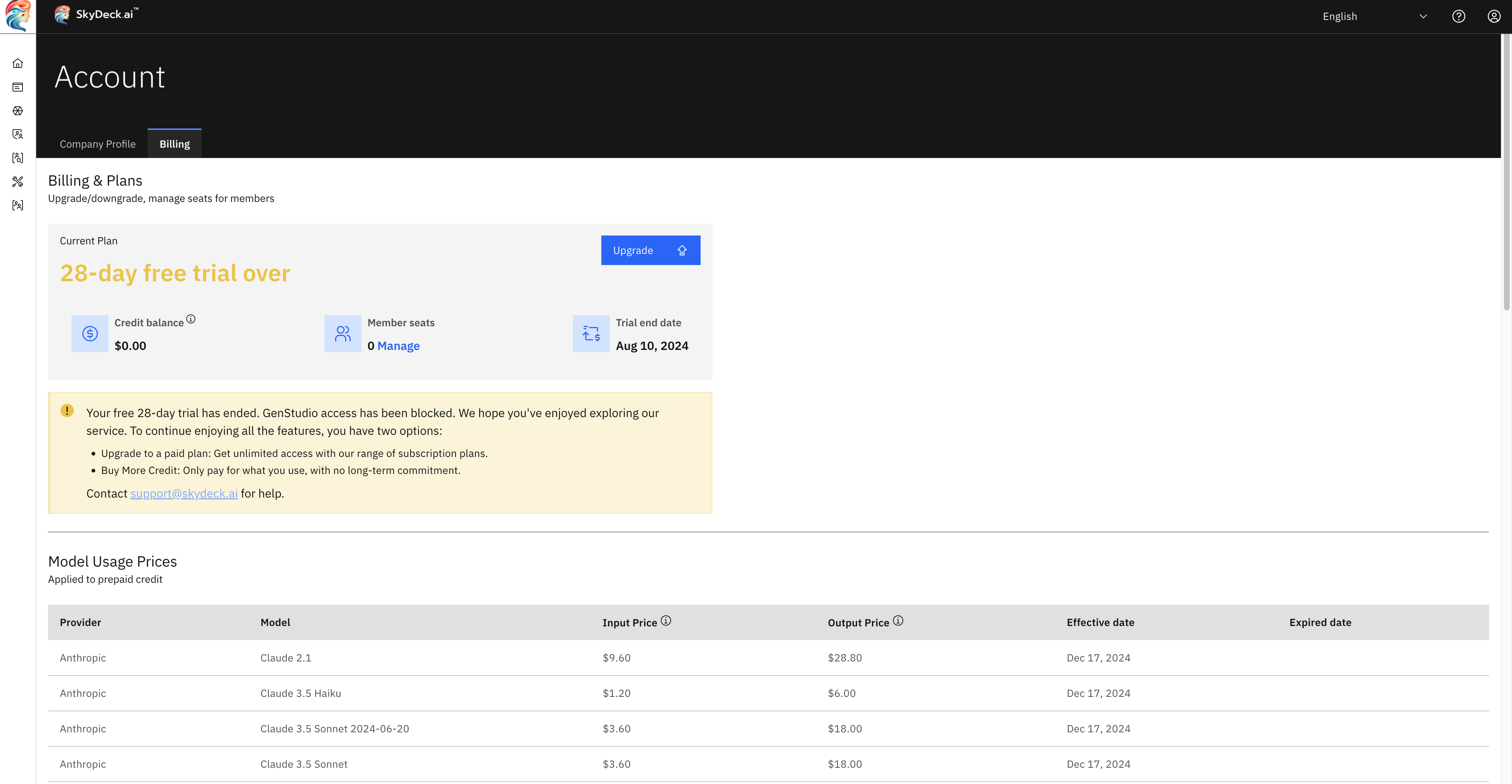
Control Center Billing Tab