# Tổ chức công cụ

Tính năng Công cụ giúp xây dựng các prompt phức tạp hơn một cách dễ dàng bằng cách yêu cầu người dùng cung cấp một vài thông tin ngắn gọn và sau đó tạo ra prompt hoàn chỉnh, chi tiết.

Chọn **Công cụ** từ thanh bên. Từ trang này, bạn có thể quản lý các công cụ cho toàn bộ tổ chức, bao gồm tải lên, chỉnh sửa, sao chép và xóa công cụ. Bạn cũng có thể sử dụng các thẻ mà bạn đã tạo trong [**Tổ chức**](/vi/control-center/setup-guide/organize-teams.md) để xác định các công cụ AI nào có sẵn cho các nhóm hoặc cá nhân cụ thể.
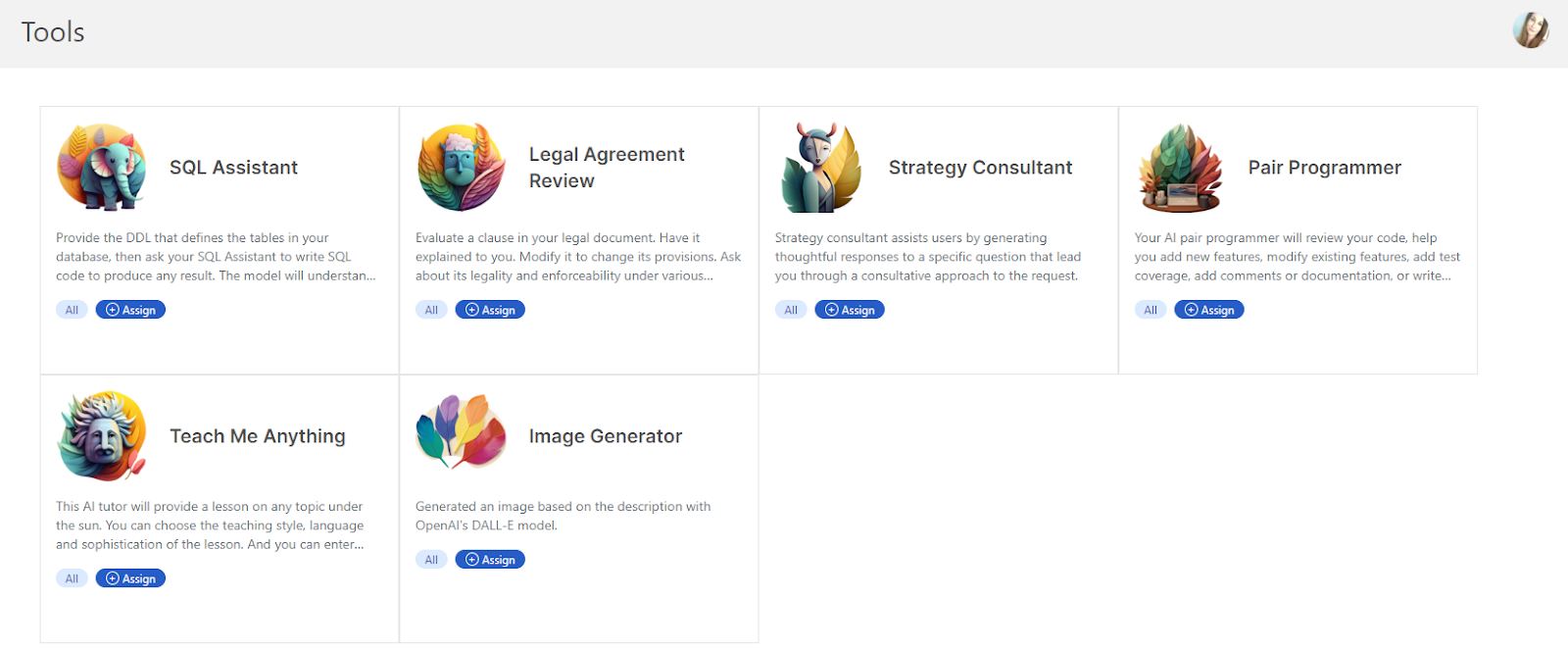
<figure><img src="https://lh4.googleusercontent.com/ETDbRxZdiQPH3nrVpku_6EYP7FOlgS8BHUF5-euuHuy3rHnVwG5kW2UzOvm10lLK9KN0FDOh5wqpm59cCBxn9tjvMoHk8K7twj6bX_Mec2JP57MxLXdWnVkAc3mnDjIEQIUUegl_ZciqCfINB1XAqD4" alt="lh4.googleusercontent"><figcaption></figcaption></figure>


---

# Agent Instructions: Querying This Documentation

If you need additional information that is not directly available in this page, you can query the documentation dynamically by asking a question.

Perform an HTTP GET request on the current page URL with the `ask` query parameter:

```
GET https://docs.skydeck.ai/vi/control-center/setup-guide/curate-tools.md?ask=<question>
```

The question should be specific, self-contained, and written in natural language.
The response will contain a direct answer to the question and relevant excerpts and sources from the documentation.

Use this mechanism when the answer is not explicitly present in the current page, you need clarification or additional context, or you want to retrieve related documentation sections.
