Tools
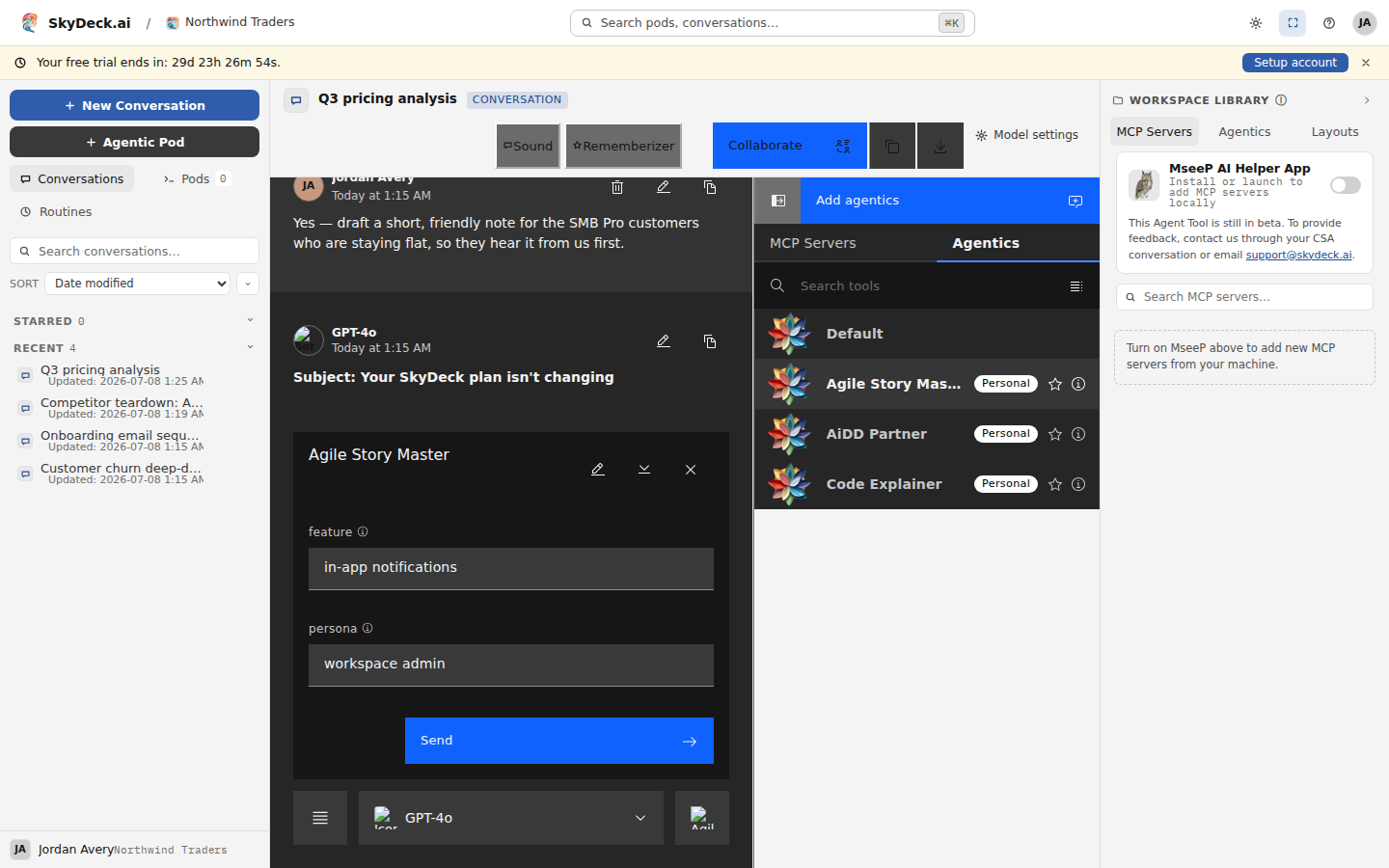
Tools turn a plain conversation into a guided, task-specific form. Open the workspace library and switch to the Agentics tab to see the tools available to you. Default sits at the top of that list — it's ordinary chat, and it's where a conversation starts.
When you select a tool, the composer changes to show the inputs that tool expects. Fill those in and submit, and the tool responds with its output in your conversation. You then fall back into Default mode, so you can reply to or follow up on the result just like any other message.
Within a single conversation you can move between many tools. You might start with a strategy tool to get advice, switch to a SQL tool to write a query for some follow-up analysis, and finish with a writing tool that turns your results into a write-up aimed at your audience.