# Curar Herramientas

La función de Herramienta ayuda a construir indicaciones más complejas fácilmente pidiendo a los usuarios algunas entradas breves y luego generando la indicación completa y detallada.

Selecciona **Herramientas** en la barra lateral. Desde esta página, puedes gestionar las herramientas para toda la organización, incluyendo subir, editar, duplicar y eliminar herramientas. También puedes usar las etiquetas que creaste dentro de [**Organizar**](/es/control-center/setup-guide/organize-teams.md) para determinar qué herramientas de IA están disponibles para grupos o individuos específicos.
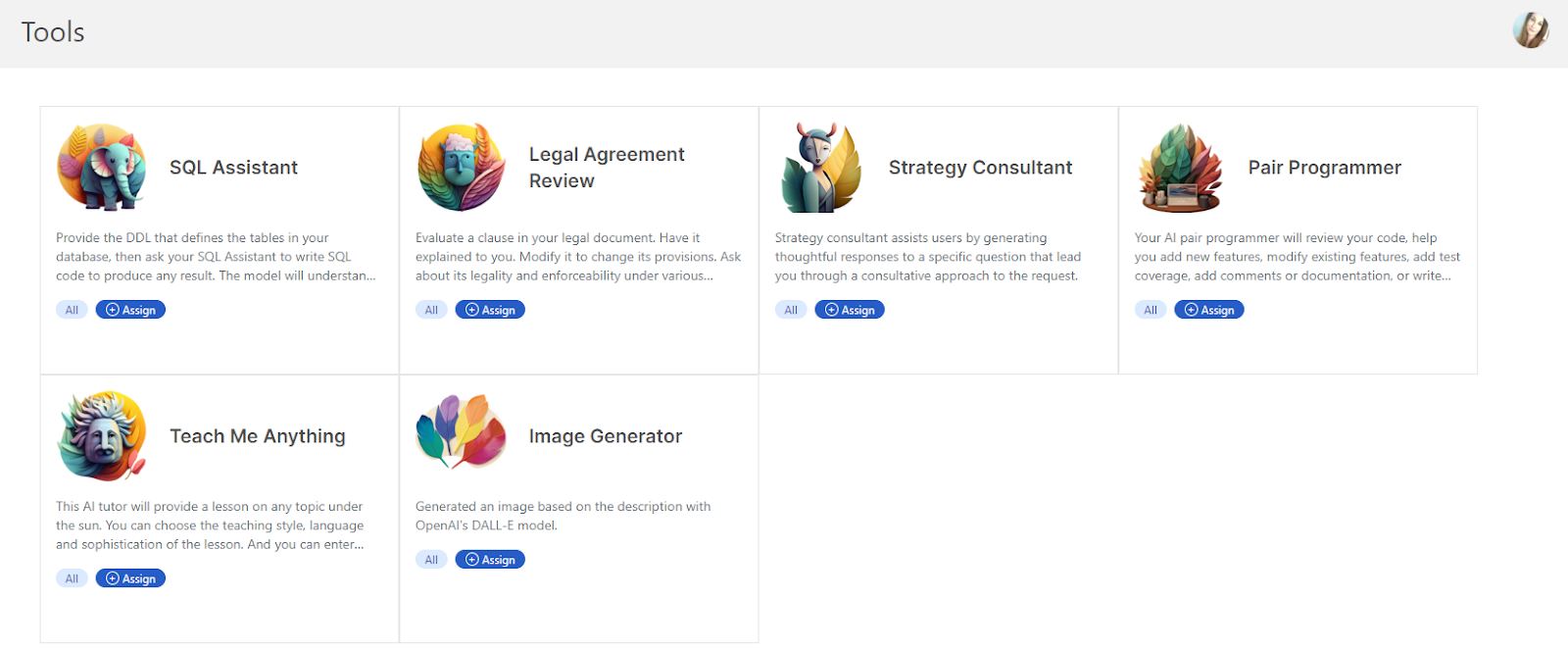
<figure><img src="https://lh4.googleusercontent.com/ETDbRxZdiQPH3nrVpku_6EYP7FOlgS8BHUF5-euuHuy3rHnVwG5kW2UzOvm10lLK9KN0FDOh5wqpm59cCBxn9tjvMoHk8K7twj6bX_Mec2JP57MxLXdWnVkAc3mnDjIEQIUUegl_ZciqCfINB1XAqD4" alt="lh4.googleusercontent"><figcaption></figcaption></figure>


---

# Agent Instructions: Querying This Documentation

If you need additional information that is not directly available in this page, you can query the documentation dynamically by asking a question.

Perform an HTTP GET request on the current page URL with the `ask` query parameter:

```
GET https://docs.skydeck.ai/es/control-center/setup-guide/curate-tools.md?ask=<question>
```

The question should be specific, self-contained, and written in natural language.
The response will contain a direct answer to the question and relevant excerpts and sources from the documentation.

Use this mechanism when the answer is not explicitly present in the current page, you need clarification or additional context, or you want to retrieve related documentation sections.
