> For the complete documentation index, see [llms.txt](https://docs.skydeck.ai/llms.txt). Markdown versions of documentation pages are available by appending `.md` to page URLs; this page is available as [Markdown](https://docs.skydeck.ai/ja/control-center/billing/free-trial.md).

# 無料トライアル

## 無料トライアルの詳細

* 無料トライアルは**28日間**続きます。
* トライアル中は、すべてのGenStudio機能にアクセスできます。
* トライアル中は**100人のメンバーシート**があります。
* 無料トライアルを開始するために**支払いは必要ありません**。

## トライアルステータス

請求セクションでトライアルステータスを確認できます。

1. **請求セクションに移動:** 「アカウント」タブに行き、「請求」を選択します。
2. **トライアル情報:**
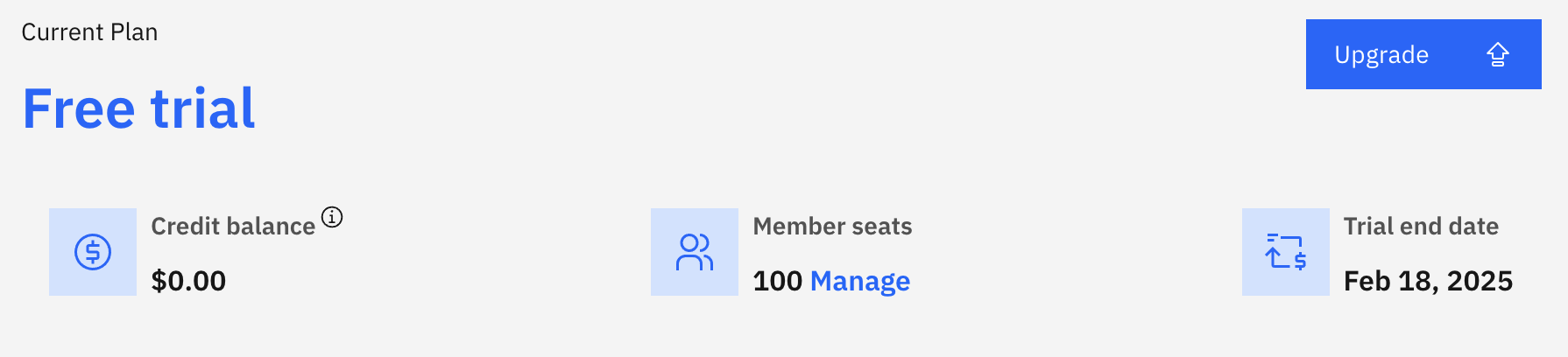
   * 現在トライアル中の場合、残りの無料トライアル日数と終了日が表示されます。

     <figure><img src="/files/e7K66Yc0l6ELLc2ME9r1" alt=""><figcaption><p>無料トライアル</p></figcaption></figure>
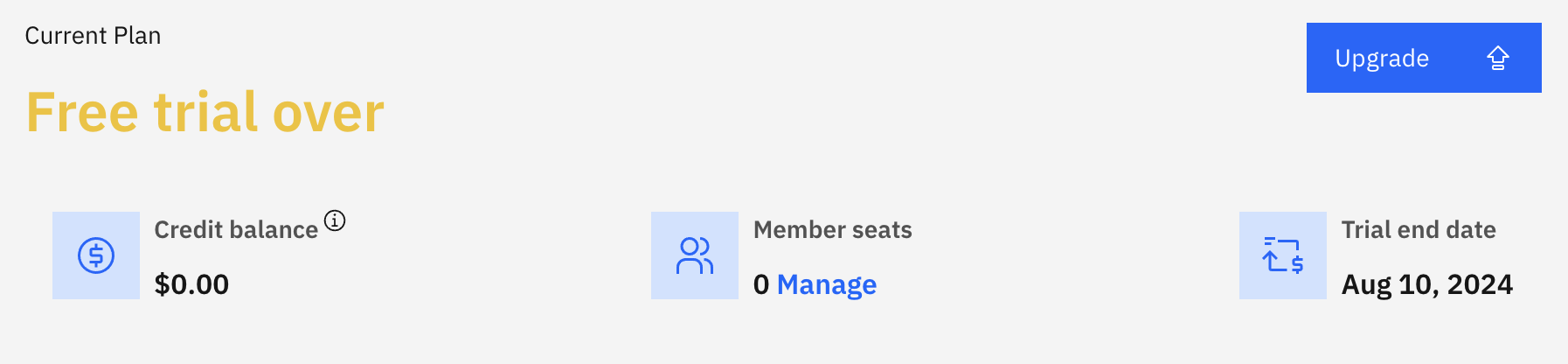
   * トライアルが終了した場合、無料トライアルが終了したという通知が表示され、GenStudioへのアクセスがブロックされます。

     <figure><img src="/files/VJjb3m5Fj2nlRf9dd6I4" alt=""><figcaption><p>無料トライアルの期限切れ</p></figcaption></figure>

## トライアル終了後に何が起こるか？

無料トライアルが終了すると：

* GenStudioへのアクセスがブロックされます。
* GenStudioを引き続き使用するには、有料プランにアップグレードする必要があります。
* あなたのデータは保持されますが、アップグレードするまでアクセスできません。

## アップグレード方法

無料トライアルが終了した場合、請求ページで有料プランへのアップグレードを促されます。アップグレード方法の詳細については、[プランとアップグレードのセクション](/ja/control-center/billing/plans-and-upgrades.md)を参照してください。

## 重要な注意事項

* 無料トライアルはアカウントごとに1回のみ利用可能です。
* 有料プランにアップグレードする際に、支払い情報の提供を求められることがあります。

無料トライアルに関する質問がある場合は、<support@skydeck.ai>までお問い合わせください。


---

# Agent Instructions
This documentation is published with GitBook. GitBook is the documentation platform designed so that both humans and AI agents can read, navigate, and reason over technical content effectively. Learn more at gitbook.com.

## Querying This Documentation
If you need additional information that is not directly available in this page, you can query the documentation dynamically by asking a question.

Perform an HTTP GET request on the current page URL with the `ask` query parameter, and the optional `goal` query parameter:

```
GET https://docs.skydeck.ai/ja/control-center/billing/free-trial.md?ask=<question>&goal=<endgoal>
```

`ask` is the immediate question: it should be specific, self-contained, and written in natural language.
`goal` is optional and describes the broader end goal you are ultimately trying to accomplish on behalf of the user. GitBook uses it to tailor the answer towards what is most useful for that goal.

The response will contain a direct answer to the question and relevant excerpts and sources from the documentation.

Use this mechanism when the answer is not explicitly present in the current page, you need clarification or additional context, or you want to retrieve related documentation sections.