# Selecionar Ferramentas

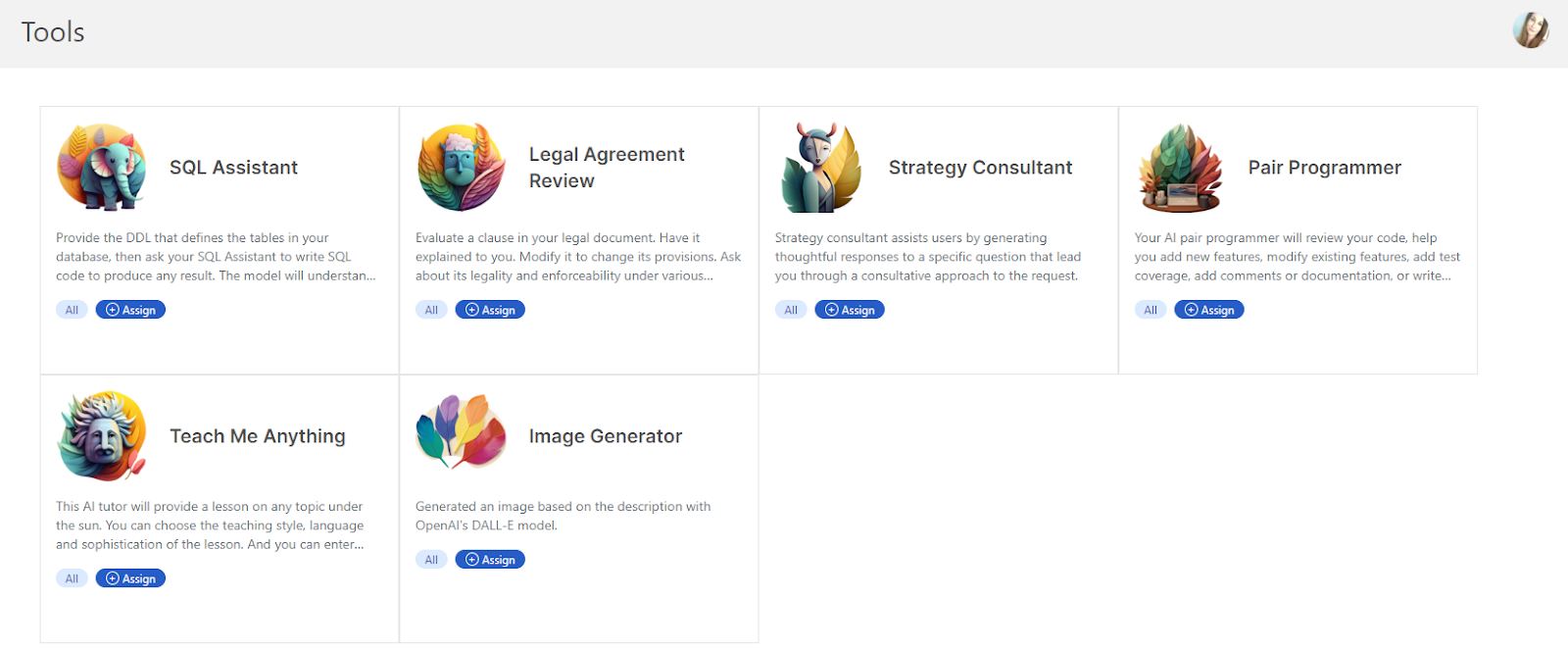
O recurso Ferramenta ajuda a construir prompts mais complexos facilmente, pedindo aos usuários algumas entradas breves e, em seguida, gerando o prompt completo e detalhado.

Selecione **Ferramentas** na barra lateral. A partir desta página, você pode gerenciar as ferramentas para toda a organização, incluindo upload, edição, duplicação e exclusão de ferramentas. Você também pode usar as tags que criou dentro de [**Organizar**](/pt/control-center/setup-guide/organize-teams.md) para determinar quais ferramentas de IA estão disponíveis para grupos ou indivíduos específicos.
<figure><img src="https://lh4.googleusercontent.com/ETDbRxZdiQPH3nrVpku_6EYP7FOlgS8BHUF5-euuHuy3rHnVwG5kW2UzOvm10lLK9KN0FDOh5wqpm59cCBxn9tjvMoHk8K7twj6bX_Mec2JP57MxLXdWnVkAc3mnDjIEQIUUegl_ZciqCfINB1XAqD4" alt="lh4.googleusercontent"><figcaption></figcaption></figure>


---

# Agent Instructions: Querying This Documentation

If you need additional information that is not directly available in this page, you can query the documentation dynamically by asking a question.

Perform an HTTP GET request on the current page URL with the `ask` query parameter:

```
GET https://docs.skydeck.ai/pt/control-center/setup-guide/curate-tools.md?ask=<question>
```

The question should be specific, self-contained, and written in natural language.
The response will contain a direct answer to the question and relevant excerpts and sources from the documentation.

Use this mechanism when the answer is not explicitly present in the current page, you need clarification or additional context, or you want to retrieve related documentation sections.
