# Thiết lập tích hợp

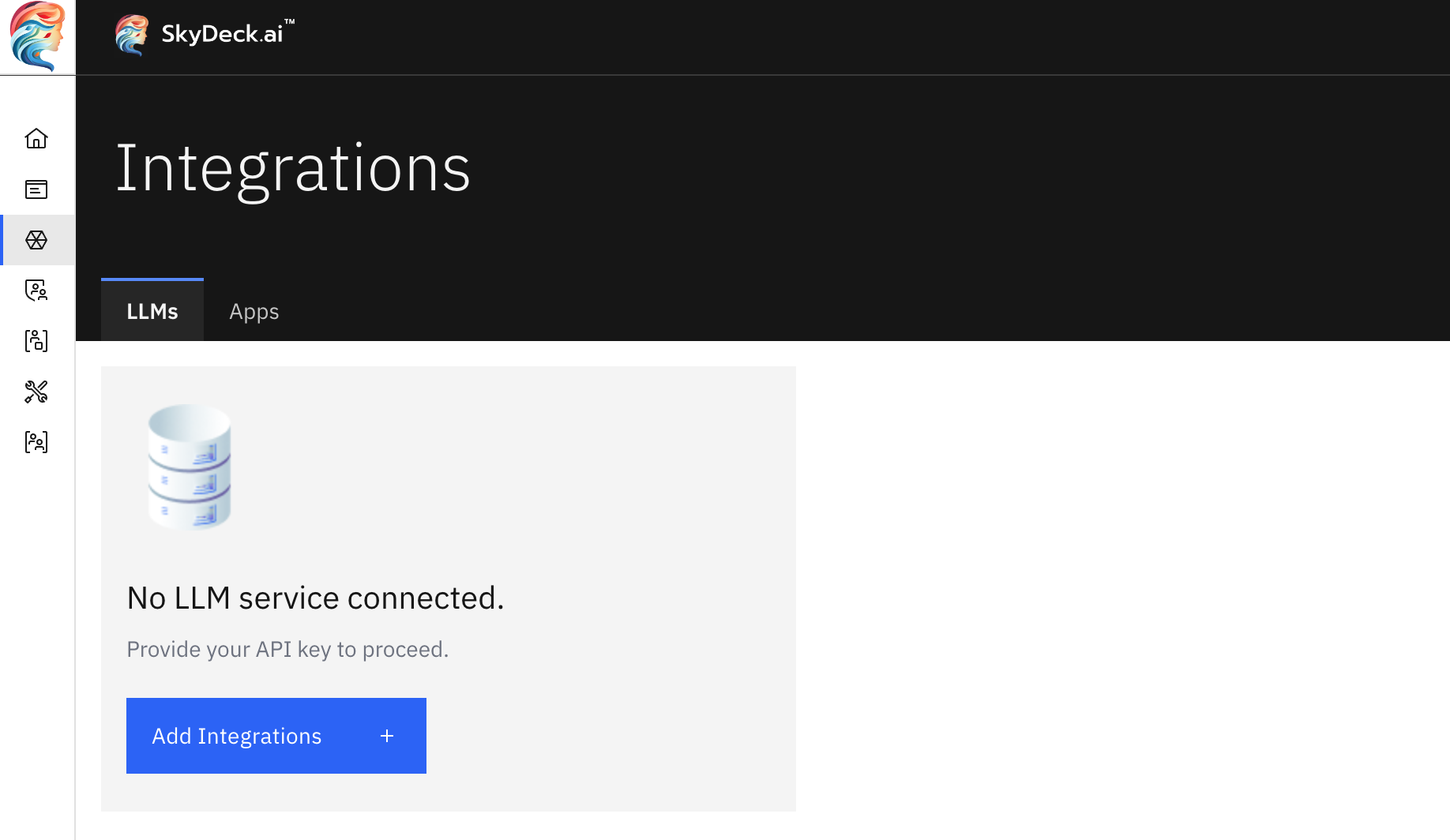
Quay lại Hướng Dẫn Thiết Lập và nhấp vào **Thêm Tích Hợp** hoặc chọn **Tích Hợp** từ thanh bên. Trên trang Tích Hợp, nhấp vào nút **Thêm Tích Hợp**.

<figure><img src="https://3545158576-files.gitbook.io/~/files/v0/b/gitbook-x-prod.appspot.com/o/spaces%2FWezHAnuVEK5SKoIUmZx6%2Fuploads%2Fgit-blob-8b8746c51bf27c8a91189573d7da07b247210845%2Fintegrations-page.png?alt=media" alt="integrations page" width="563"><figcaption></figcaption></figure>

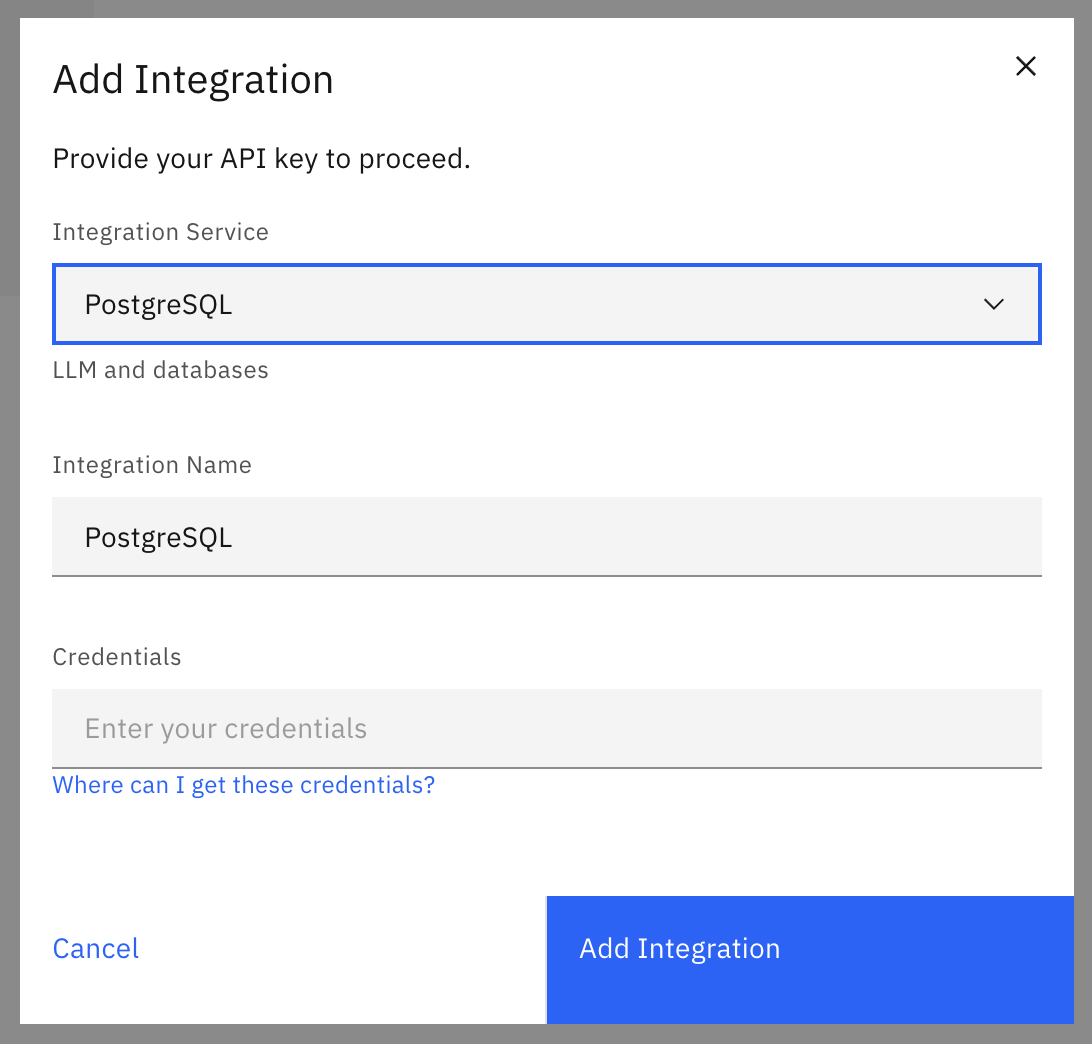
Trong cửa sổ pop-up **Thêm Tích Hợp**, điền vào các trường sau:

* **Dịch Vụ Tích Hợp** – Chọn một dịch vụ LLM như OpenAI, VertexAI, Anthropic... hoặc một dịch vụ cơ sở dữ liệu từ menu thả xuống.
* **Tên Tích Hợp** – Tạo một tên dễ nhận biết cho tích hợp của bạn.
* **Thông Tin Đăng Nhập** – Nhập [thông tin đăng nhập API](https://docs.skydeck.ai/vi/control-center/setup-guide/set-up-integrations/integration-assistance).

<figure><img src="https://3545158576-files.gitbook.io/~/files/v0/b/gitbook-x-prod.appspot.com/o/spaces%2FWezHAnuVEK5SKoIUmZx6%2Fuploads%2Fgit-blob-64a32c8d01557c124f150de0859ff54c723408be%2Fadd-integration-dialog.png?alt=media" alt="add integration dialog" width="563"><figcaption></figcaption></figure>