# タグの割り当て

タグを使用すると、組織内のメンバーのグループにツールを関連付けることができます。タグがツールに割り当てられると、そのタグが割り当てられたメンバーのみがそのツールを使用できるようになります。

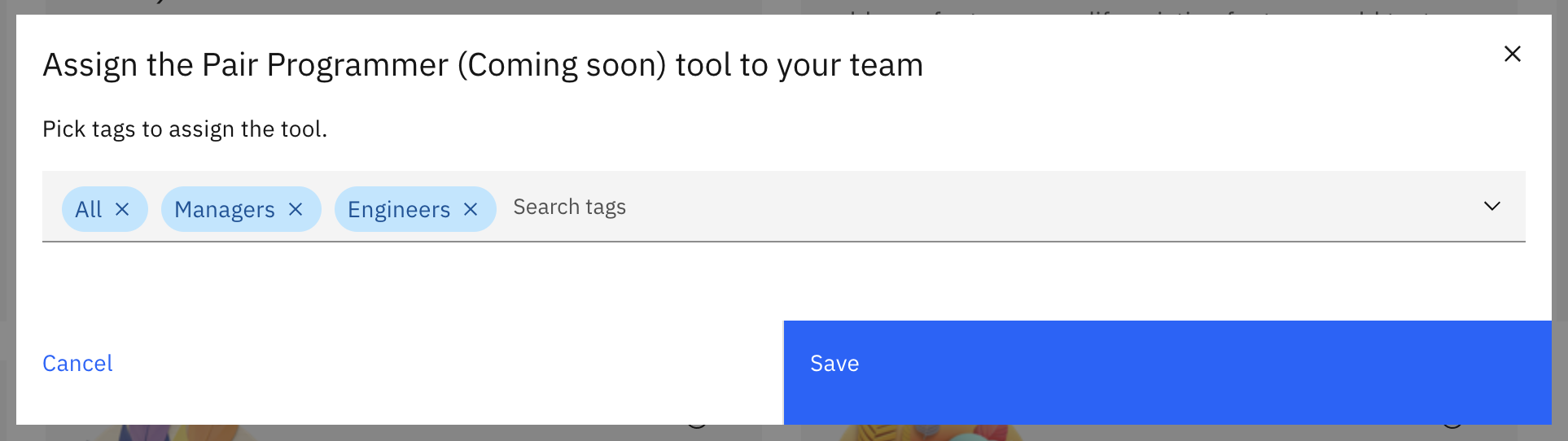
ツールページで、管理したい各ツールの**割り当て**ボタンをクリックします。ポップアップウィンドウで、マルチセレクトドロップダウンから複数のタグを選択できます。必要に応じて、タグの選択と選択解除を切り替えます。その後、**保存**をクリックします。

<figure><img src="/files/3jZrfCP5XDEf39zbfy04" alt="assign tag popup" width="563"><figcaption></figcaption></figure>

このプロセスを各AIツールに対して繰り返し、カスタマイズされた権限グループを作成します。


---

# Agent Instructions: Querying This Documentation

If you need additional information that is not directly available in this page, you can query the documentation dynamically by asking a question.

Perform an HTTP GET request on the current page URL with the `ask` query parameter:

```
GET https://docs.skydeck.ai/ja/control-center/setup-guide/curate-tools/assign-tags.md?ask=<question>
```

The question should be specific, self-contained, and written in natural language.
The response will contain a direct answer to the question and relevant excerpts and sources from the documentation.

Use this mechanism when the answer is not explicitly present in the current page, you need clarification or additional context, or you want to retrieve related documentation sections.