# チームの整理

SkyDeck.AI コントロールセンターでは、タグは会社のメンバーを整理する方法です。タグ（またはグループ）は、組織内のチームを表します。メンバーやツールにタグを割り当てることができ、メンバーは同じタグが割り当てられたツールのみを使用できます。

サイドバーから **整理** を選択します。このページから、組織内のさまざまなチームを定義し構造化するためのタグを作成できます。**すべて** タグはすでに存在し、削除することはできないことに注意してください。これは、組織のすべてのメンバーに適用されるデフォルトのタグです。
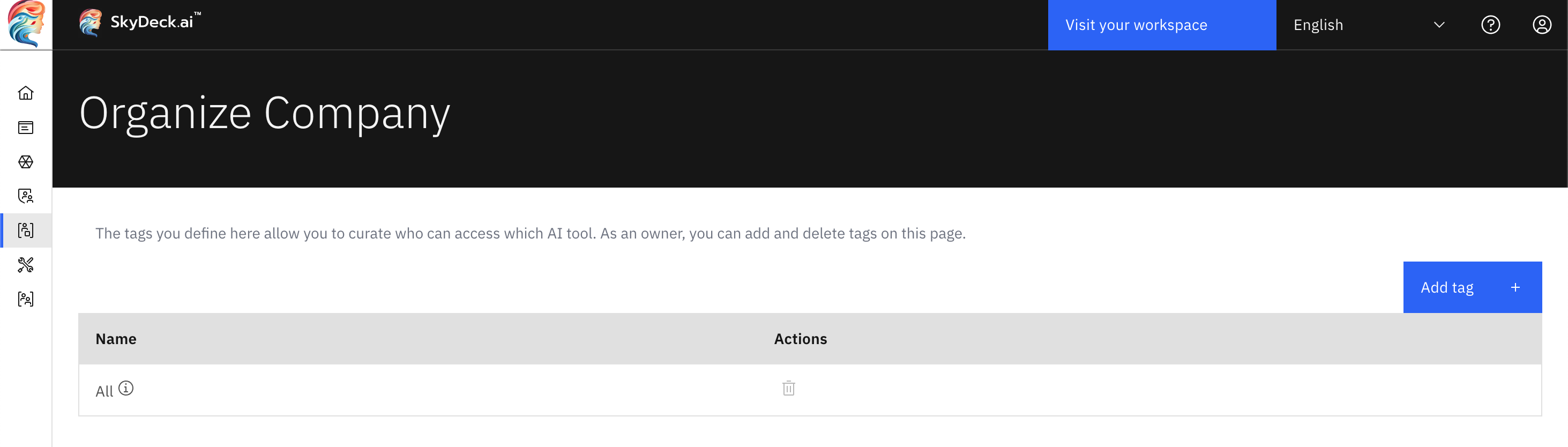
<figure><img src="/files/G4vJ8lnyVQTSmfpdviqu" alt="default all tag"><figcaption></figcaption></figure>


---

# Agent Instructions: Querying This Documentation

If you need additional information that is not directly available in this page, you can query the documentation dynamically by asking a question.

Perform an HTTP GET request on the current page URL with the `ask` query parameter:

```
GET https://docs.skydeck.ai/ja/control-center/setup-guide/organize-teams.md?ask=<question>
```

The question should be specific, self-contained, and written in natural language.
The response will contain a direct answer to the question and relevant excerpts and sources from the documentation.

Use this mechanism when the answer is not explicitly present in the current page, you need clarification or additional context, or you want to retrieve related documentation sections.
