Perplexity 통합
개요
Perplexity는 대규모 언어 모델을 활용하여 종합적이고 사실 기반의 응답을 제공하는 고급 AI 언어 모델로, 콘텐츠 생성, 언어 번역, 요약 등 다양한 응용 프로그램에 강력한 도구입니다.
Perplexity API 키 생성
SkyDeck AI 플랫폼과 Perplexity를 통합하려면 API 키를 생성해야 합니다:
- 계정 생성: Perplexity 웹사이트에서 무료 계정을 등록하세요.
- API 키 접근:
- Perplexity 계정에 로그인합니다.
- 설정으로 이동합니다.
- API 탭을 클릭합니다.
- 새 키 생성:
- "+ Generate" 버튼을 클릭하여 새 API 키를 생성합니다.
SkyDeck AI에 API 키 추가하기
Perplexity를 SkyDeck AI와 통합하려면 다음 단계를 따르세요:
- SkyDeck AI에 로그인하기: SkyDeck AI 관리 계정에 접근합니다.
- 통합으로 이동하기: 통합 페이지로 이동합니다.
- Perplexity 통합 추가하기:
- "+통합 추가" 버튼을 클릭합니다.
- 사용 가능한 통합 목록에서 "Perplexity"를 선택합니다.
- Perplexity API 키를 입력합니다.
- 원하는 Perplexity 모델 선택과 같은 추가 설정을 구성합니다.
- 저장하고 확인하기: API 키를 입력하고 설정을 구성한 후 "저장"을 클릭하여 통합을 완료합니다.
지원되는 모델
Perplexity는 각각 다른 사용 사례와 성능 요구 사항에 최적화된 여러 모델을 제공합니다. SkyDeck에서 지원하는 최신 모델(2024년 9월 기준):
온라인 모델
llama-3.1-sonar-small-128k-online: 중간 복잡도의 일반 온라인 쿼리에 적합합니다.llama-3.1-sonar-large-128k-online및llama-3.1-sonar-huge-128k-online: 더 깊은 맥락 이해가 필요한 복잡한 온라인 쿼리를 위해 설계되었습니다.
채팅 모델
llama-3.1-sonar-small-128k-chat: 중간 복잡도의 채팅 기반 상호작용에 적합합니다.llama-3.1-sonar-large-128k-chat: 더 복잡한 채팅 기반 상호작용에 최적화되어 있습니다.
성공적인 통합 검증
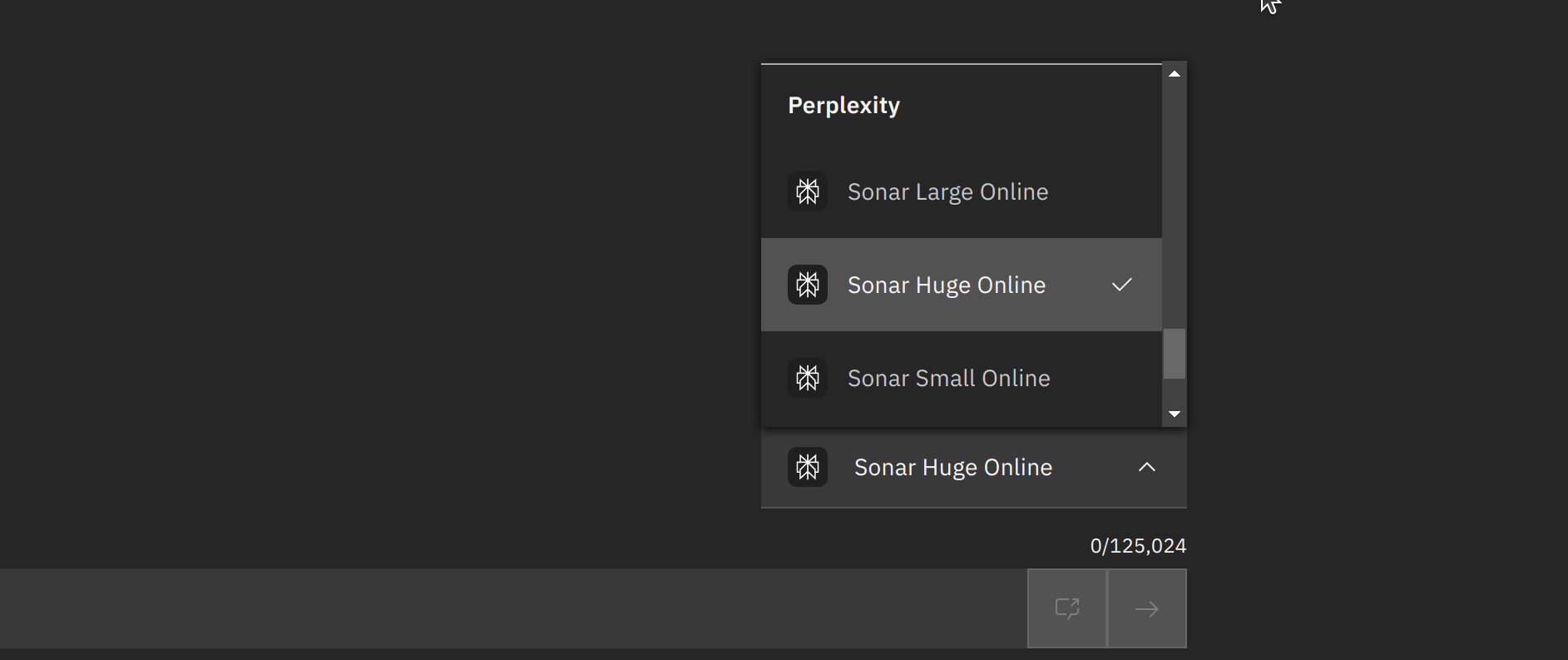
Perplexity를 SkyDeck AI 플랫폼과 통합한 후, SkyDeck AI GenStudio에서 선택할 수 있는 Perplexity 모델이 표시되어야 합니다. 이러한 모델의 존재는 성공적인 통합을 나타냅니다.
결론
Perplexity를 SkyDeck AI Platform과 통합하면 고급 언어 모델을 활용하여 정확하고 신뢰할 수 있는 답변을 제공하는 강력한 기능과 능력이 제공됩니다. 이 통합의 이점을 극대화하기 위해 최신 모델과 기능을 항상 최신 상태로 유지하십시오. 추가 지원이나 문의 사항이 있는 경우 Perplexity 문서를 참조하거나 지원 팀에 연락하시기 바랍니다.