> For the complete documentation index, see [llms.txt](https://docs.skydeck.ai/llms.txt). Markdown versions of documentation pages are available by appending `.md` to page URLs; this page is available as [Markdown](https://docs.skydeck.ai/genstudio-workspace/tools/teach-me-anything.md).

# Teach Me Anything

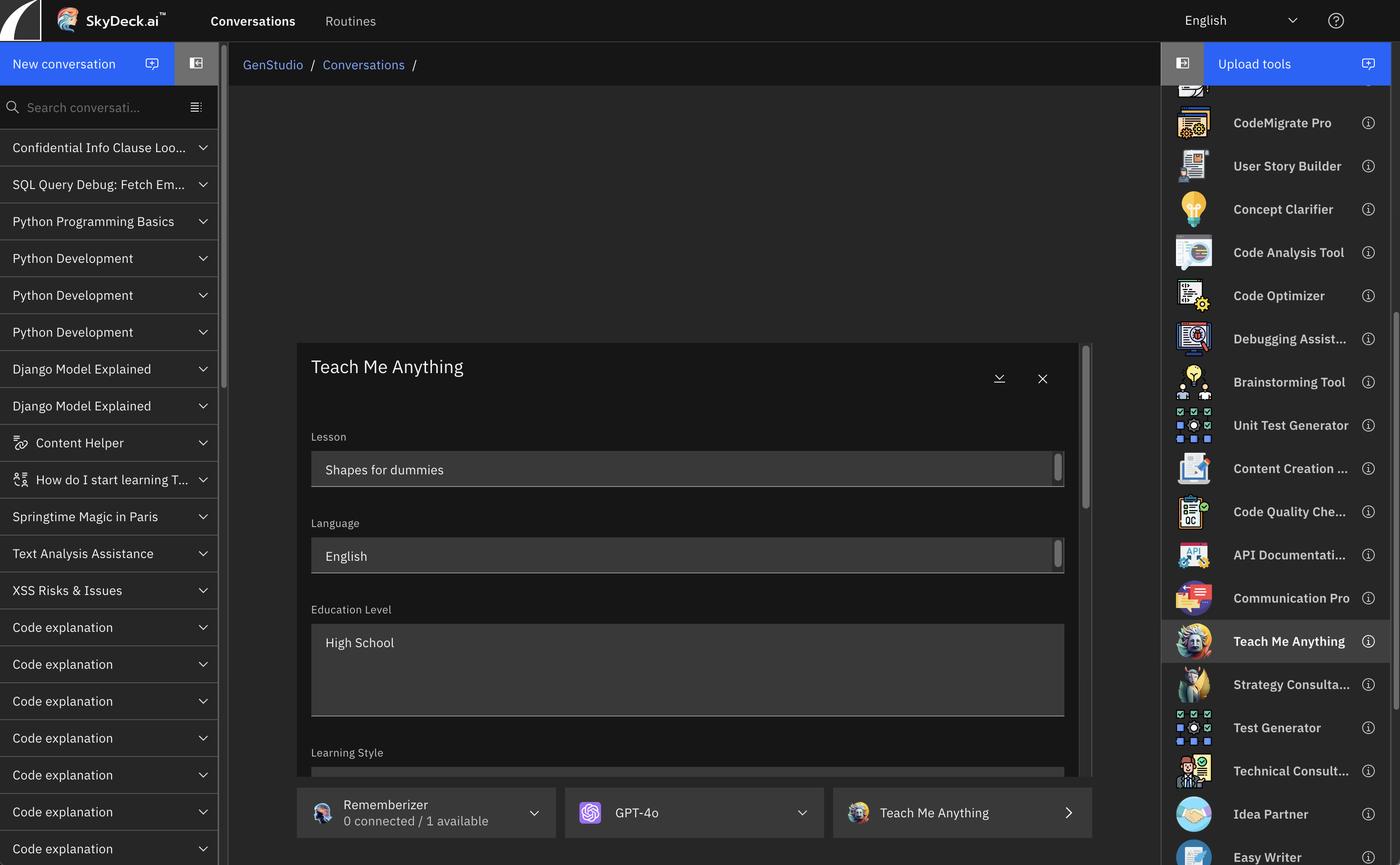
Teach Me Anything is an LLM tutor offering personalized learning experiences on any topic you can imagine. Tailor each lesson to your preferences, selecting the teaching style, linguistic nuances, and depth of content. Then dive into /test mode, and the AI will asses your grasp of the subject.
<figure><img src="/files/Nqsj74ttNrIaDmeGFJgN" alt="teach me anything 1"><figcaption></figcaption></figure>

## What Type of Questions Can Teach Me Anything Help With?

Teach Me Anything has a wide scope, so there’s no end to what kinds of lessons you can request. Here is a list of general topics to give you an idea of how you can utilize this tool to learn:

* Sciences and Mathematics
* History
* Literature
* Technology and Computers
* Philosophy and Social Sciences
* Arts and Music
* Languages and Linguistics
* Geography and Earth Sciences
* Religion and Spirituality
* Sports and Recreation
* Health and Wellness
* Space and Astronomy
* Law and Governance
* Travel and Culture
* Business and Finance


---

# Agent Instructions
This documentation is published with GitBook. GitBook is the documentation platform designed so that both humans and AI agents can read, navigate, and reason over technical content effectively. Learn more at gitbook.com.

## Querying This Documentation
If you need additional information that is not directly available in this page, you can query the documentation dynamically by asking a question.

Perform an HTTP GET request on the current page URL with the `ask` query parameter:

```
GET https://docs.skydeck.ai/genstudio-workspace/tools/teach-me-anything.md?ask=<question>
```

The question should be specific, self-contained, and written in natural language.
The response will contain a direct answer to the question and relevant excerpts and sources from the documentation.

Use this mechanism when the answer is not explicitly present in the current page, you need clarification or additional context, or you want to retrieve related documentation sections.
